 GambleLore
Mobile App Gambling Tutorials: iOS & Android Tips 2026
Playing casino games and placing bets on your smartphone has become the standard for many enthusiasts in 2026. Mobile apps deliver convenience, exclusive bonuses, and smooth gameplay whether you prefer slots, blackjack, or sports betting. This comprehensive guide covers everything from secure downloads to advanced optimization so you can enjoy safe, high-performance sessions on both iOS and Android devices. Whether you are a beginner or an experienced player, understanding the nuances of mobile platforms helps avoid common frustrations and maximizes enjoyment while maintaining strong security practices.
Choosing and Downloading Trusted Mobile Gambling Apps
Start by selecting licensed operators with strong mobile platforms. Search official app stores or visit the casino website directly for the latest APK on Android. Always verify the developer name and read recent user reviews before installing. Look for operators regulated by respected authorities such as the UK Gambling Commission or Malta Gaming Authority to ensure fair play and secure transactions. For iOS users, the App Store provides the safest route. Approved apps undergo rigorous checks that reduce malware risks. Android users can enable installation from unknown sources only when downloading from the operator’s official site. Avoid third-party app marketplaces that may bundle malicious software. Take time to compare welcome bonuses and game libraries across platforms before committing to one app.
Visit Apple Developer resources to understand app security standards.Step-by-Step iOS Setup Process
Setting up a gambling app on iOS is straightforward yet requires attention to detail for optimal security. Open the App Store and search for your chosen operator. Tap Get and authenticate with Face ID or Touch ID. Launch the app and register or log in using your existing account details. Enable two-factor authentication during account creation for added protection against unauthorized access. Enable push notifications to receive bonus alerts and deposit match offers in real time. Adjust location services for geo-restricted games if required by your jurisdiction, but review privacy settings carefully. Test the app in demo mode first to familiarize yourself with layout before depositing real funds. Many iOS apps also integrate with Apple Pay for faster and more secure deposits.
Step-by-Step Android Setup Process
Android setup often involves an extra step due to sideloading. Visit the casino website on your mobile browser and download the APK file from the verified source. Enable “Install from unknown sources” in Settings > Security, but remember to disable it afterward. Install the APK and open the app. Complete registration or sign in with your credentials. Grant storage and notification permissions for seamless gameplay, but deny access to contacts or camera unless explicitly needed. Clear any previous cache from old versions before installing updates. Android users benefit from customizable settings such as enabling split-screen mode to monitor odds while playing other apps simultaneously.
Check Android developer guidelines for best practices on app permissions.Navigating Game Interfaces on Mobile
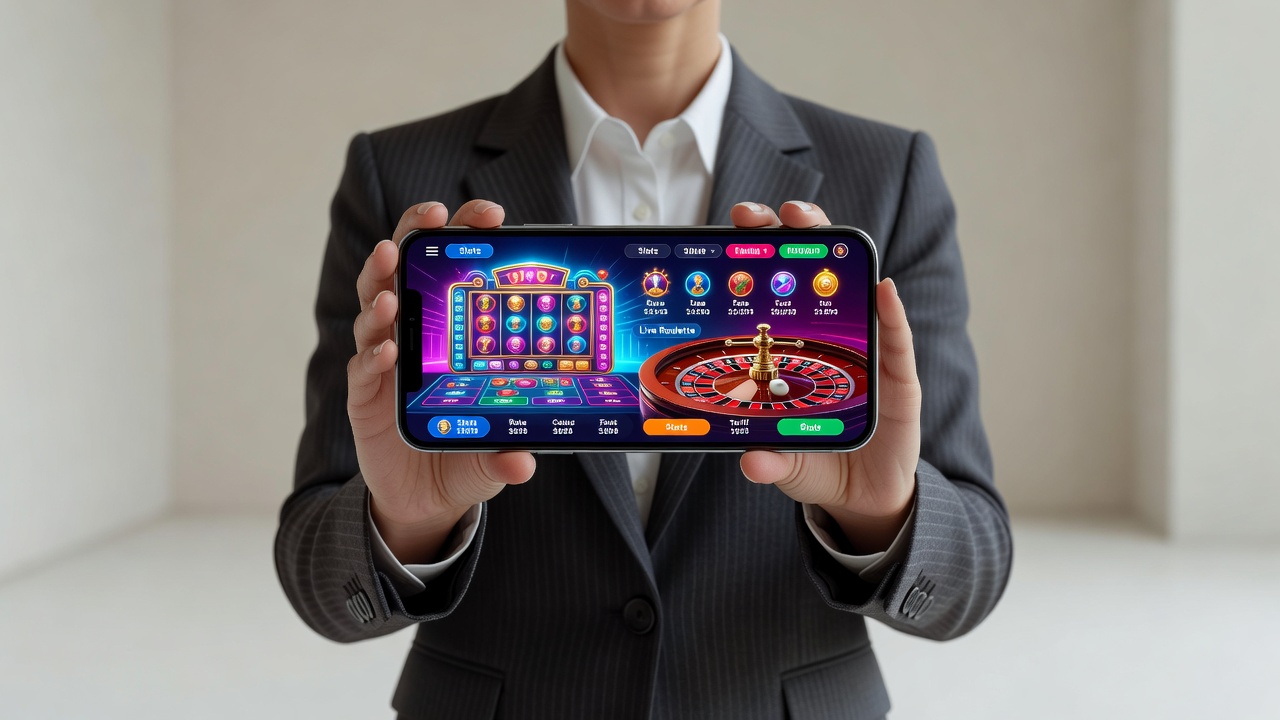
Modern apps feature intuitive touch controls designed specifically for smaller screens. Slots usually include large spin buttons at the bottom of the screen with easy access to paytables and bet adjusters. Table games like roulette use swipe gestures to place chips, while poker apps display fold, call, and raise buttons within thumb reach for one-handed play. Sports betting sections often feature live score overlays and quick bet slips. Many platforms offer landscape mode for an immersive experience. Switch orientations mid-session without losing your place in most titles. Practice basic gestures in free play modes to build muscle memory. Some apps include customizable themes and button sizes to accommodate different hand sizes and screen resolutions.
Optimizing Performance and Battery Life
Long sessions drain battery quickly, especially during live dealer games or high-definition slots. Lower screen brightness, close background apps, and enable Low Power Mode on iOS or Battery Saver on Android. Use Wi-Fi instead of mobile data when possible to reduce latency and data usage. Monitor your data consumption in the app settings to avoid unexpected charges on limited plans. Clear cache regularly through the app settings menu to maintain smooth frame rates during high-graphics games like live dealer blackjack. Disable unnecessary animations in accessibility settings for older devices. On flagship phones with 120Hz displays, enable the high refresh rate only when plugged in to preserve battery. Consider using airplane mode with Wi-Fi enabled during extended sessions to minimize background interference.
Common Mobile Pitfalls and How to Avoid Them
- Weak connectivity causing disconnections: Always play on stable Wi-Fi or enable auto-reconnect features in the app. Switch to a stronger network before starting high-stakes bets.
- Accidental bet increases due to touch sensitivity: Use the app’s bet confirmation toggle and enable haptic feedback for confirmation.
- Outdated app versions missing new games: Enable automatic updates in your phone settings and check release notes for bug fixes.
- Permission overreach: Review requested access and deny unnecessary location or contact permissions during installation.
- Overheating during long sessions: Remove the phone case temporarily and avoid direct sunlight to keep the device cool.
- Notification overload: Customize alert preferences to receive only high-value bonus notifications rather than every promotion.
Comparing Top Mobile Gambling Apps in 2026
Leading apps differ in game variety, bonus speed, and device compatibility. Some excel at slots with exclusive mobile titles while others prioritize live dealer tables and sports betting odds. Test a few with small deposits to compare loading times and touch responsiveness on your specific handset. Look for apps that support biometric login and offer cross-platform progress syncing. User interface speed and customer support response times vary significantly between operators, so read recent forum feedback for real-user experiences.
Real-Device Examples and Touch Control Tips
On an iPhone 16 Pro, the native haptic feedback makes roulette spins feel realistic and helps confirm button presses. Android users on flagship Samsung devices benefit from higher refresh-rate screens that reduce motion blur in fast-paced slots. Practice in demo mode first to master swipe gestures and multi-touch betting. Tablet users can enjoy larger interfaces with split views for multiple games at once. Always calibrate touch sensitivity in your device settings for precise control during rapid-fire slot spins or poker decisions.
Using Push Notifications for Bonuses
Enable notifications to catch time-sensitive free spins and cashback offers. Most apps send alerts within minutes of new promotions, giving mobile players an edge over desktop users. Customize notification categories so you only receive alerts for games you play frequently. This approach prevents alert fatigue while ensuring you never miss personalized reload bonuses or tournament invitations.
Security Best Practices for Mobile Gambling
Always use a strong, unique password and enable biometric authentication. Avoid public Wi-Fi networks for deposits and withdrawals. Regularly review your account activity for any suspicious transactions. Install reputable antivirus software on Android devices and keep your operating system updated to the latest version. Consider using a VPN for extra privacy when traveling internationally.
FAQ
Do gambling apps require special permissions?
Yes. They typically need storage access for game assets, notification access for bonuses, and sometimes location services for legal compliance. Always review permissions during installation and revoke any that seem excessive after setup.
How often should I update my gambling app?
Update immediately when new versions are available. Developers release patches for security and new features regularly, often monthly. Delaying updates can expose you to known vulnerabilities.
What should I do if I lose connectivity mid-game?
Most reputable apps automatically restore your session once connection returns. If the game freezes, force-close and reopen the app or contact 24/7 live chat support. Keep screenshots of active bets as backup evidence.
Conclusion
Mastering mobile gambling apps on iOS and Android requires attention to security, performance, and interface navigation. Follow the steps above to enjoy smooth, responsible play wherever you are in 2026. Regular maintenance of your device and app settings ensures long-term reliability and enjoyment.

No comments yet. Be the first!